Who Spoke, and When? Speaker Diarization on Jetson with NVIDIA Nemotron-3-Diarization
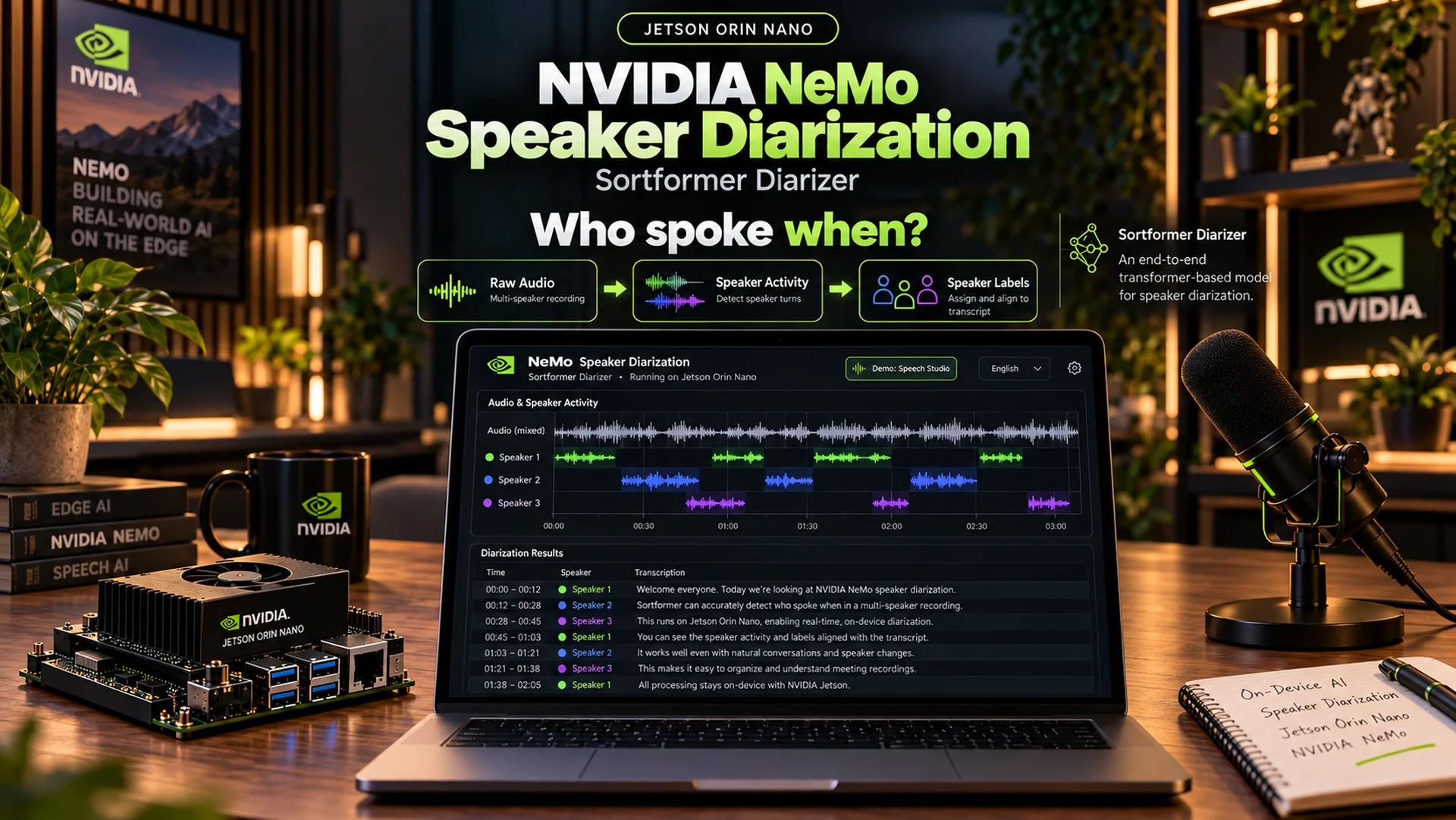
Finding one particular exchange in a meeting, interview or podcast can mean listening through the entire recording. The answer to “who said what?” is in the file, but reaching it takes time. Cloud services make this easier, but they require you to upload the recording to another server.
Speech Studio is an open-source tool that does this work locally on an NVIDIA Jetson Orin Nano Developer Kit. It transcribes recordings, separates speakers, summarizes the content and answers questions about the recording. The audio file stays on the device throughout the process.
At the heart of the app is NVIDIA’s speaker diarization model, Nemotron-3-Diarization. It answers the question “who spoke when?”, and it gets its own section below.
The source code is available on GitHub: github.com/openzeka/speech-studio
The measurements and screenshots in this post were taken on an 8 GB NVIDIA Jetson Orin Nano Developer Kit.
A real recording
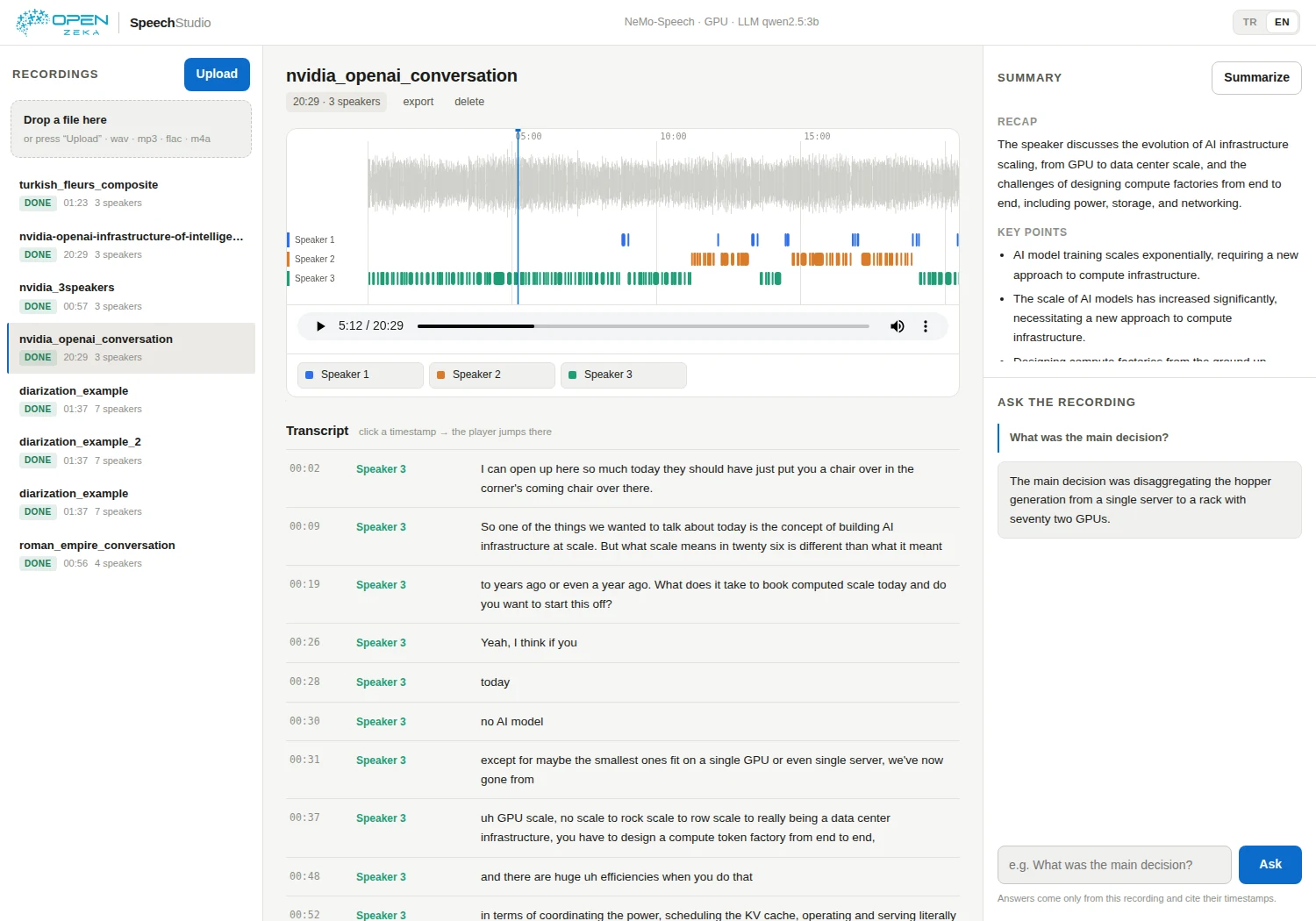
The main test used a 20 min 30 s recording taken from a conversation between NVIDIA and OpenAI about AI infrastructure.
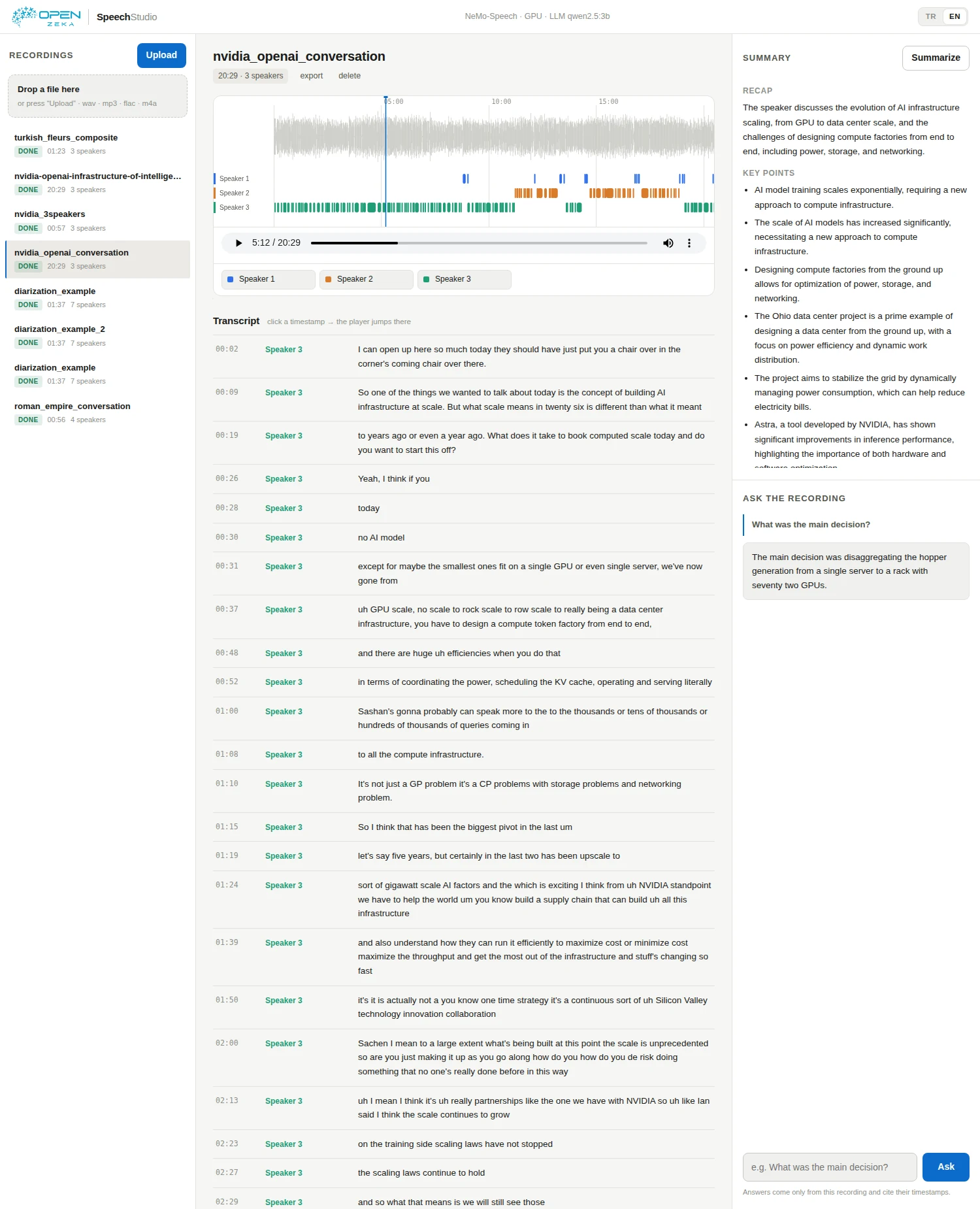
Speech Studio found 3 speakers and 187 speaker turns. It matched each part of the transcript with a speaker and a timestamp:
[00:09] Speaker 3: So one of the things we wanted to talk about today is the concept of building AI infrastructure at scale.
Labels such as “Speaker 3” can be replaced with a person’s name. The app also produces a summary, key points and action items. When you ask a question about the recording, it points to the relevant passages with timestamps.
Transcripts and summaries are generated by AI and can contain mistakes. Proper names are especially prone to errors. Timestamps make it easier to check important details against the original recording.
The model that separates speakers: Nemotron-3-Diarization
Three different questions you can ask a recording
It helps to sort speech AI models by the question they answer:
- Speech recognition (ASR) — Input: Audio, Output: Text — “What was said?”
- Text-to-speech (TTS) — Input: Text, Output: Audio — “How should this text sound?”
- Speaker diarization — Input: Audio, Output: Speaker timeline — “Who spoke when?”
ASR works like a court stenographer: it writes down every word it hears, but it doesn’t tell you who said them. TTS goes the other way, taking text and giving it a voice. Diarization produces neither text nor audio. What it produces is a map: “The first voice spoke from 00:00 to 00:12, the second voice cut in at 00:12, the first voice came back at 00:30.”
To do this, it doesn’t look at what the words mean; it tells the voices themselves apart: timbre, pitch, manner of speaking. It also doesn’t know who anyone is. It never says “Alice” or “Bob”, only “this voice is different from that one.” You add the names afterwards.
What problem does it solve?
With ASR alone, the transcript of a 20-minute meeting arrives as one long block of text. Somewhere in it is the sentence “I can have this done by Friday.” But who made that promise? Who raised that objection? The transcript doesn’t say.
Diarization turns that text into a conversation. Every sentence is tied to the person who said it, so you can see how much each person talked, read one person’s contributions in a row, and attribute decisions and commitments to the right people. It is also what lets the summary and Q&A answer questions like “who suggested this?”
Why is it hard?
It sounds simple, but it is one of the hard problems in speech processing:
- The speakers aren’t known in advance. The model starts without knowing how many people are in the recording or who they are.
- People talk over each other. In a real conversation, people interrupt and chime in with short “yeah”s and “mm-hm”s.
- Voices can be similar. Telling apart two people of the same age and gender is much harder than separating clearly different voices.
- It has to stay consistent. Whoever is “Speaker 2” in minute one must still be “Speaker 2” when they speak again in minute twenty.
How the model works inside
Classic systems tackle this as a chain of steps: first find where speech occurs, then extract a “voice fingerprint” from each segment, and finally group the fingerprints by similarity. Each step inherits the previous step’s mistakes, and overlapping speech fits this design poorly, since each segment usually gets a single speaker.
Nemotron-3-Diarization belongs to NVIDIA’s Sortformer family and does the whole job in one pass. It listens to the recording in very short time slices and, for each slice, answers eight questions at once: “Is speaker one talking right now? Speaker two? …” The result looks like an eight-track recorder with a separate track for every speaker. Because several tracks can be active at the same moment, overlapping speech is marked naturally. The colored timeline in Speech Studio is those tracks made visible.
A known problem with this kind of model is that labels have no inherent order. Even when the model separates two voices correctly, which one it calls “1” and which “2” is arbitrary, which makes both training and consistency harder. Sortformer fixes this with a simple rule: whoever speaks first in the recording is “1”, the next person to join is “2”. (The numbers Speech Studio shows don’t always follow that order: in the sample recording, the first person to speak was labelled “Speaker 3”. Either way, labels can be renamed to people’s names in the interface.)
The model also works on live audio. In that mode it keeps the speakers it has already heard in a small memory (the Arrival-Order Speaker Cache), so when someone speaks again minutes later it recognizes them and gives them the same label. Latency can go as low as 0.32 seconds.
How was it trained, and how well does it do?
The model was trained on about 10,000 hours of real conversations and 82,611 hours of simulated multi-speaker audio. The simulated mixtures matter: by overlaying different recordings, the model was shown plenty of interruptions and simultaneous speech. The training data covers many languages, led by English, Mandarin and several Indian languages.
Accuracy is measured with the Diarization Error Rate (DER): missed speech, speech detected where there is none, and speech assigned to the wrong person, as a percentage of total time. Lower is better. Results NVIDIA publishes on the model card:
- NOTSOFAR1 — meeting recordings — DER 6.77%
- CALLHOME (Part 2) — telephone calls — DER 9.10%
- DIHARD III — hard recordings from many domains — DER 12.73%
These numbers come from the mode that processes the whole recording. In live streaming, even at the lowest latency (0.32 s), the error on DIHARD III stays at 13.55%.
It does all this with about 100 million parameters, tiny next to today’s language models. That is what lets it run on the 8 GB Orin Nano alongside the speech recognition and summarization models. It distinguishes up to 8 speakers and is licensed under OpenMDW 1.1, which also permits commercial use.
How does Speech Studio use it?
Speech Studio runs two models side by side. ASR writes out every word with a timestamp; Nemotron-3-Diarization says who was speaking at that moment. Combining the two ties each word to its speaker. Speech Studio then gathers consecutive words from the same person into speaker turns, and the timeline, transcript, summary and Q&A are all built on those turns. Both models run on the Jetson’s GPU inside NVIDIA’s local inference engine, NeMo-Speech.cpp.
For more on speaker diarization, see NVIDIA’s NeMo documentation.
What can you do with it?
Drop a WAV, MP3, FLAC, OGG, Opus or M4A file into the interface to:
- Separate speakers. Each speaker appears in a different color and timeline lane.
- Review the transcript. Click a timestamp to listen to that part of the recording.
- Get a concise summary. Key points, decisions and action items are collected in one place.
- Ask questions about the recording. Follow timestamps to the passages behind the answers.
- Work in Turkish or English. The interface, summaries and answers follow the selected language.
- Export the result as Markdown. The transcript and summary can be downloaded as one file.
How does it work?
Speech Studio brings speech processing and language-model features together in one interface. The audio is processed on the Jetson; the recording does not need to be sent elsewhere for transcription, speaker separation, summarization or Q&A.
The required models are downloaded from the internet during setup. After installation, recordings are processed on the device. By default, the web interface is available only on the device itself; an SSH tunnel can be used to connect from another computer.
Test results and limitations
In tests with different recordings, the system found:
- 3 speakers and 187 turns in a 20 min 30 s recording,
- 7 speakers in a 1 min 38 s synthetic dialogue,
- 3 speakers in roughly one-minute clips from a three-person podcast,
- a Turkish transcript and summary from a Turkish recording.
Results vary with the model and the recording. Summary quality depends on the selected language model, especially when using a smaller model or summarizing into another language. The models support live audio, but the current interface works with uploaded files.
Recordings are stored in the device’s library/ folder. Deleting those files removes the local copies kept by the app.
Conclusion
Speech Studio brings transcription, speaker separation, summarization and recording search together in one interface. For people who want to process recordings on their own hardware, the Jetson Orin Nano provides a compact platform for running these tasks locally.
To try it, explore the code or contribute: github.com/openzeka/speech-studio